How to check if a hardware wallet is genuine: 7 steps
How to tell a real hardware wallet from a fake or tampered one: where to buy, packaging, seed phrase red flags, the authenticity check, firmware and a test send.
CryptoGroup Newsroom · · 6 min read
On this page
- Buy from the manufacturer or a reseller it lists
- Inspect the box against what the maker says it should contain
- Treat any pre-written recovery phrase as a scam
- Run the maker's official authenticity check
- Install firmware only through the official app
- Verify a small test transaction on the device screen
- Know the warning signs after setup and who to call
A hardware wallet only protects you if it is the device the manufacturer actually built. Counterfeit and tampered wallets are a real, recurring problem: in 2026 alone, Ledger devices sold through a reseller were found with implants that capture recovery phrases, and Keystone had the key behind its online authenticity check stolen in a website breach. The steps below work for any brand. Do them in order, before you move any meaningful amount of crypto onto a new device. If you are new to the idea, start with what a hardware wallet is.
Buy from the manufacturer or a reseller it lists
The single biggest risk is where the device came from. Order from the maker's official website, or from a shop that appears on the maker's own list of authorised resellers (check that list on the official site, not via a link in an email). Avoid marketplace listings from unknown sellers, "open box" or second-hand units, unusually cheap bundles and devices offered through social media or Telegram. After the Ledger implant cases, some makers cut back their reseller networks; Trezor, for example, dropped resellers, so an unfamiliar shop is a reason to double-check. Type the maker's web address yourself; phishing sites that copy official stores are common.
Inspect the box against what the maker says it should contain
Before opening anything, look up the maker's official "what's in the box" page or unboxing guide. Compare the packaging, seals, cables and printed cards with it. Makers handle tamper evidence differently: some use holographic seals or stickers, some ship in numbered tamper-evident bags, and some rely mainly on a cryptographic check instead of seals. A torn seal, glue residue, a resealed bag, scratches or a device that has clearly been used are reasons to stop and contact the maker. Remember the limit of this step: good packaging can be faked, so a clean box is necessary but not sufficient.
Treat any pre-written recovery phrase as a scam
A genuine hardware wallet generates your recovery (seed) phrase itself, on its own screen, during first setup. You write it down; nobody else has ever seen it. So:
- If the box contains a card with words already printed or written on it, do not use the device.
- If the device is already set up, already has a PIN, or skips seed generation, do not use it.
- If any app, website or support agent asks you to type your phrase into a computer or phone, it is theft. No legitimate maker needs it.
This one rule defeats the most common "fake wallet" scams. Our guide to what a seed phrase is explains why it controls everything.
Run the maker's official authenticity check
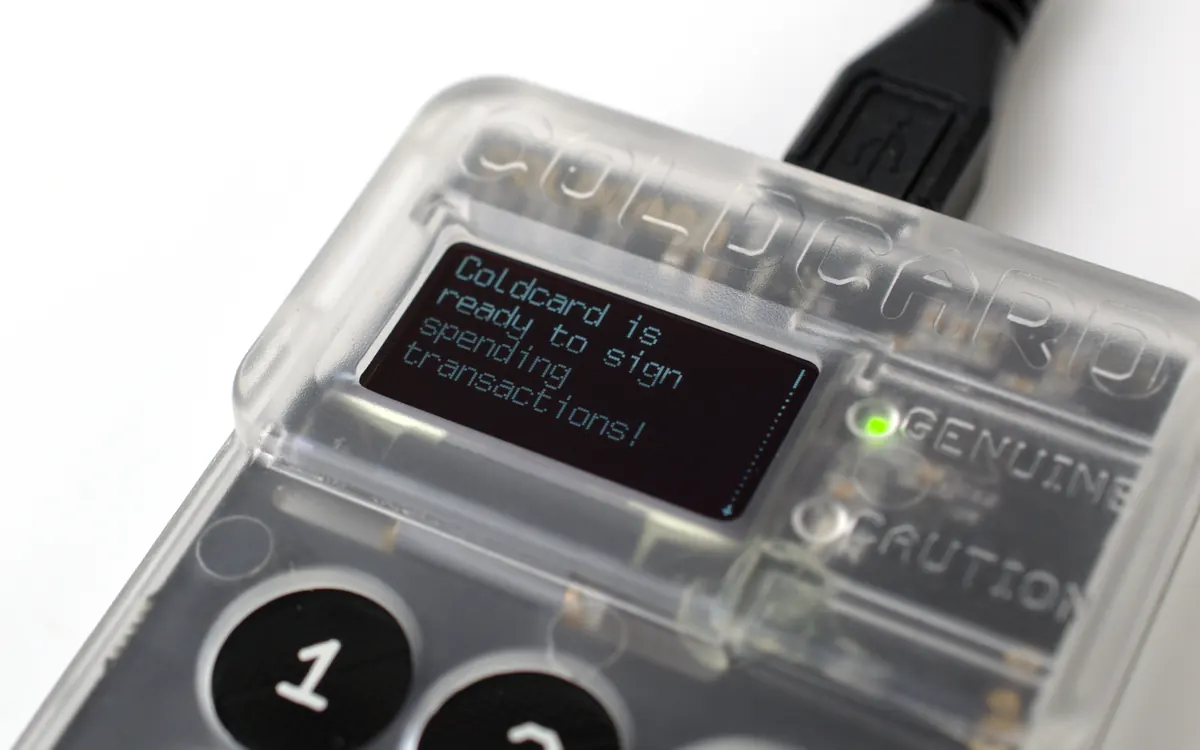
Most makers build a cryptographic check into first setup. A secret key placed in the device at the factory proves to the maker's app or website that the hardware is theirs. Examples: Ledger Live runs a "genuine check" when you connect a device; Trezor Suite checks the authenticity of newer models with a secure element; Coldcard shows a bag number on first power-up so you can compare it with the number printed on its tamper-evident bag; Keystone uses a web verification page. Only run the check in the official app or on the official site you reached by typing the address.
Install firmware only through the official app
Firmware is the device's operating system, and genuine devices only accept firmware signed by the maker. Update through the official desktop or mobile app (or files from the official site, verified as the maker describes), never from a link sent by email or chat. Some models ship without firmware and install it during setup, which also confirms the device accepts the maker's signed code. If the app warns that the device or firmware is not genuine, stop and contact support through the official site. Don't "fix" it with tools from forums.
Verify a small test transaction on the device screen
Before moving savings, send a small amount to the new wallet and back out again. Check that the receiving address shown in the app matches the one on the device's own screen, and that when you send, the amount and destination on the device screen are what you intended. A device that signs without showing details, shows different data from the app, or behaves oddly during this test should not hold real funds. This step also confirms your written backup is correct if you practise restoring it on the same device.
Know the warning signs after setup and who to call
Some attacks surface later. Be suspicious of:
- emails, texts or calls about a "recall", "replacement device" or "security upgrade" that ask you to return the wallet or enter your phrase (Keystone has said it is not recalling devices);
- a parcel containing a wallet you never ordered;
- support agents who contact you first, especially on social media.
If you suspect a fake, stop using the device, move any funds to a wallet you trust (generating a new seed phrase on it), and contact the maker only through its official website. For a broader checklist on storage and backups, see how to store crypto safely, and our crypto scam guide covers the scripts fraudsters use.
Frequently asked questions
How do I know if my hardware wallet is fake?
Red flags include buying from an unofficial seller, damaged or resealed packaging, a recovery phrase already written on a card, a device that is already set up, and a failed authenticity check in the maker's official app. Any one of them is a reason to stop and contact the manufacturer.
Is it safe to buy a hardware wallet on Amazon or eBay?
Only if the seller is the manufacturer's own store or appears on the maker's official list of authorised resellers. Second-hand and marketplace devices from unknown sellers carry a real risk of tampering.
Can a fake hardware wallet pass the authenticity check?
Normally not, because the check relies on a secret key only the manufacturer should hold. But if that key is stolen, as happened to Keystone in October 2026, counterfeits can pass, so the check should be combined with the other steps.
What should I do if I think my hardware wallet is not genuine?
Stop using it, move funds to a trusted wallet with a newly generated seed phrase, and contact the manufacturer through its official website. Never send the device or your phrase to anyone who contacts you first.
This article is for information only and is not financial advice. Crypto assets are volatile; do your own research. Read our disclaimer
More from Security
View all →Read next
Bitmine spends more on buybacks than ETH as 5% goal nears
Bitmine bought back $45.9M of stock last week but only $24.5M of ether (10,452 ETH). It now holds 6.05M ETH, 4.95% of supply. Why treasuries are turning inward.

S&P Global closes OpenZeppelin deal, bets on code risk
S&P Global has completed its purchase of smart-contract security firm OpenZeppelin. Terms are undisclosed; OpenZeppelin Contracts stay free and open source.

What is a bitcoin treasury company? mNAV, risks, examples
What a bitcoin treasury company is, how firms like Strategy and Strive fund bitcoin buys, what mNAV means, and the risks versus buying BTC or a spot ETF.